 Totally
Every receipt
lowers your tax
Snap a receipt. Totally reads it, files it under the right Schedule C line and shows how much less tax you owe. Built for freelancers, 1099 contractors and creators.
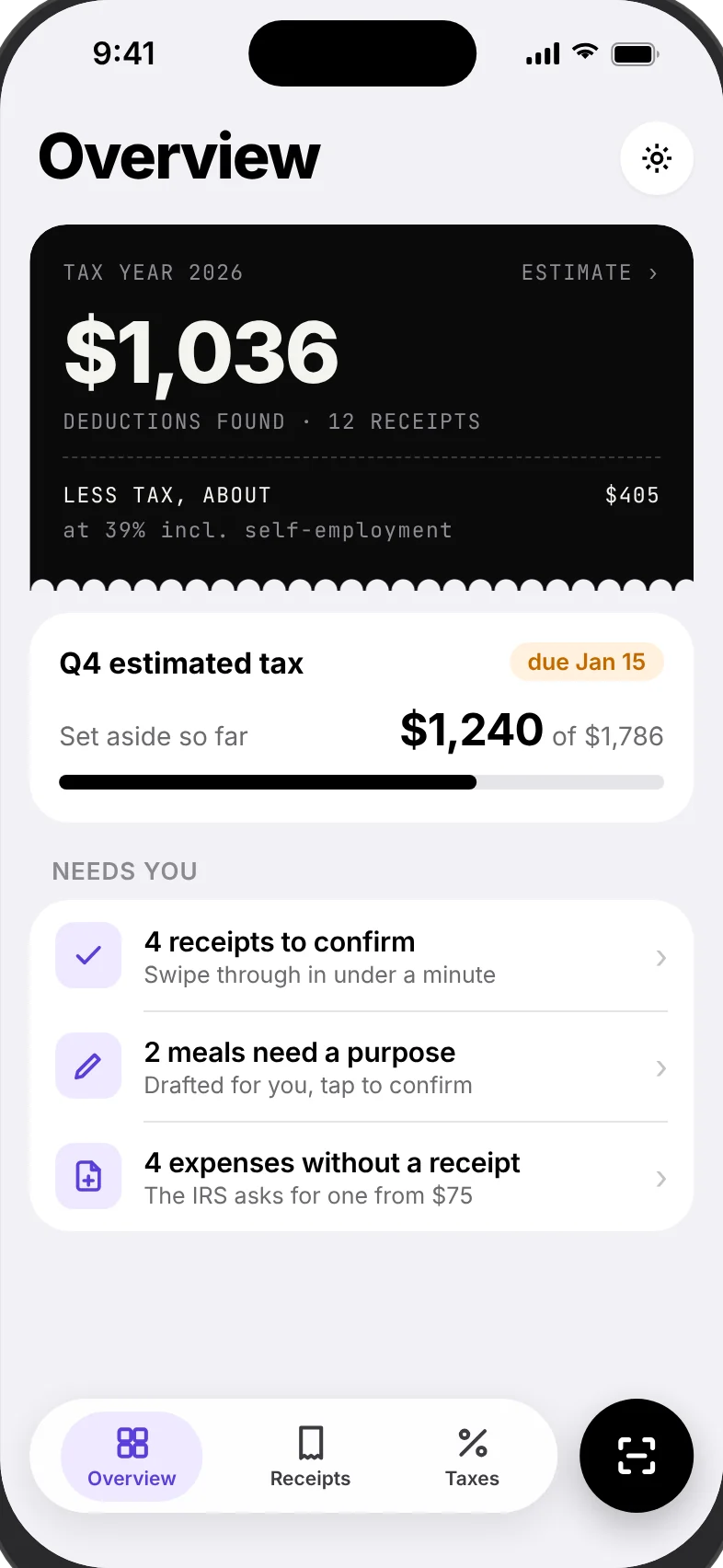
For the moments taxes feel like a mess
Totally turns a shoebox of receipts into numbers you and your accountant can use.
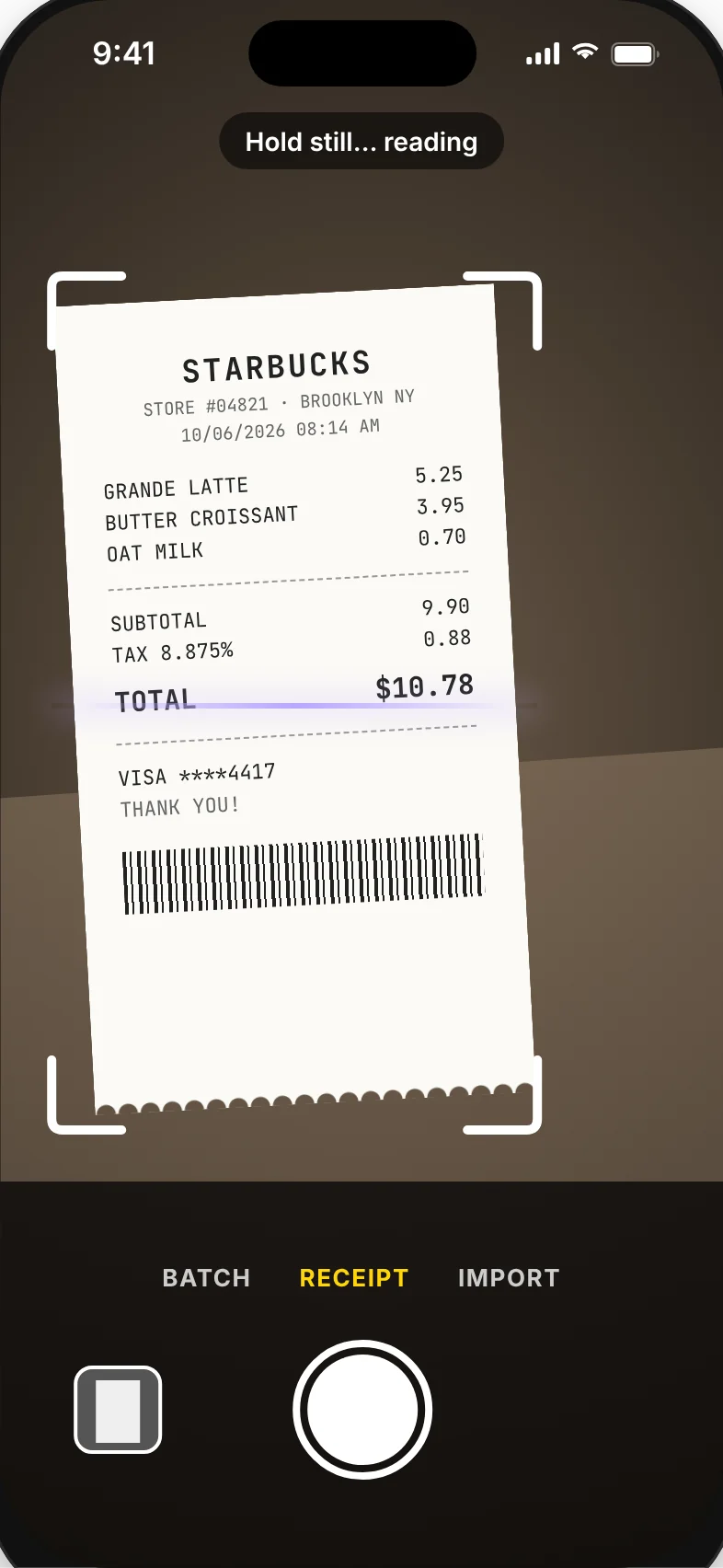
Snap it. We read it.
Point the camera at a receipt, or import from Photos and Files. Merchant, date and total fill in on their own, and the receipt lands in the right category.
- Batch mode for a stack of paper receipts
- Scan from the Lock Screen, Action button or Camera Control
- Meals marked 50% deductible automatically
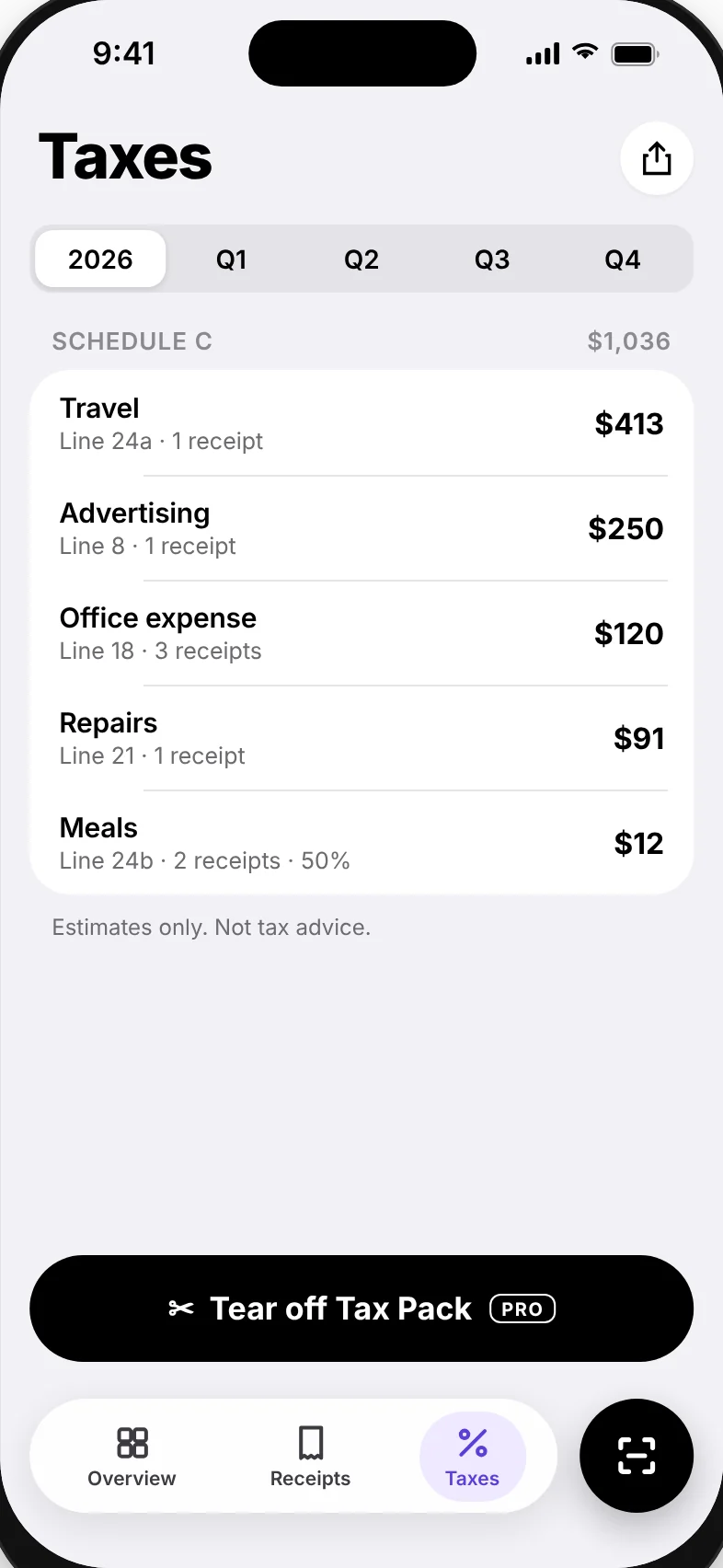
Sorted for Schedule C
Every expense goes to its IRS line: travel, advertising, office, repairs, meals. See the year and each quarter at a glance, with an estimate of what it saves you.
- Business or personal in one tap
- Search any receipt by merchant or amount
- Deductions counter right on the Home Screen widget
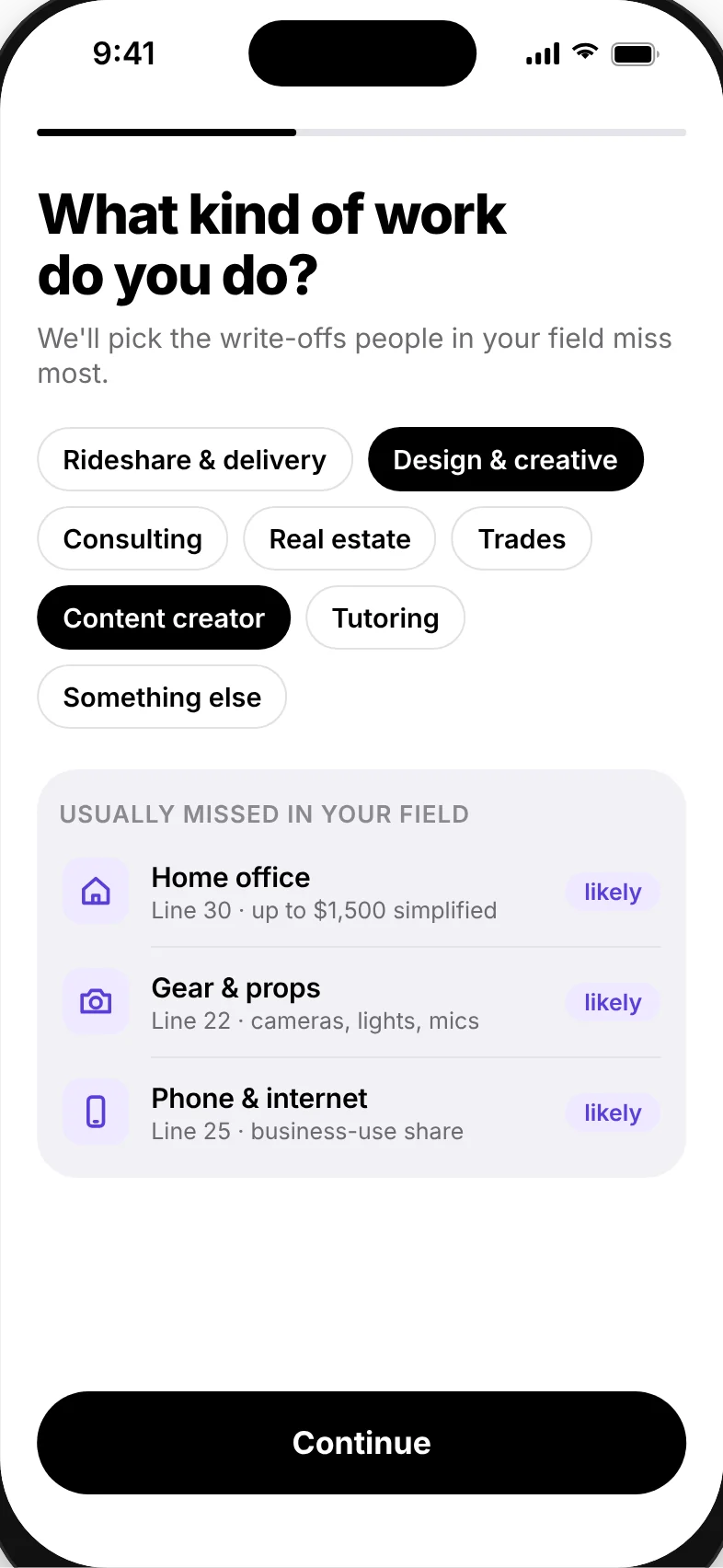
Write-offs people miss
Tell Totally what kind of work you do, and it points out deductions people in your field usually forget, like the home office, gear and your phone bill.
- Rideshare, design, consulting, real estate, trades and more
- Simplified home office method, up to $1,500
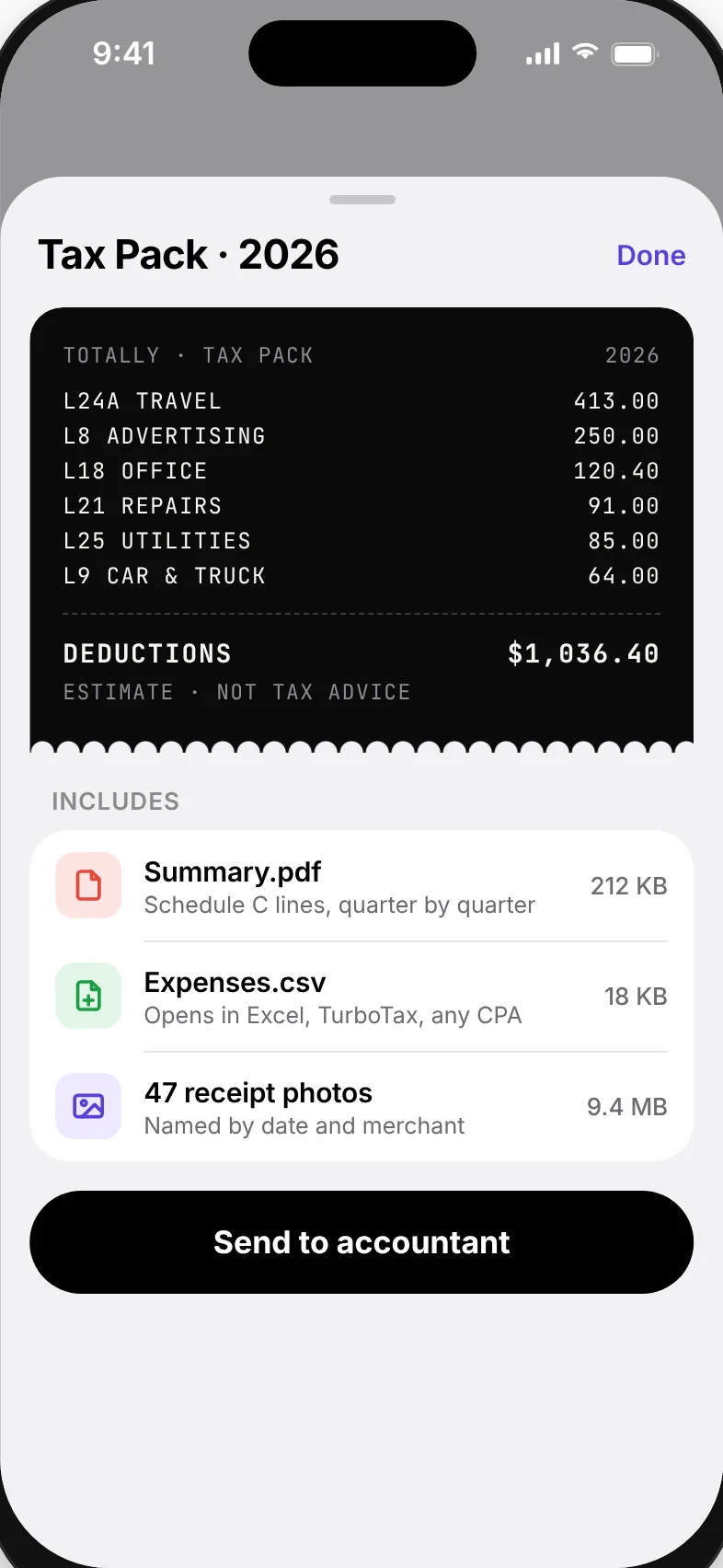
Tax Pack, in one tap
A PDF summary by Schedule C line and quarter, a CSV that opens in Excel or TurboTax, and every receipt photo named by date and merchant. Send it by email or save it to Files.
Know what to set aside
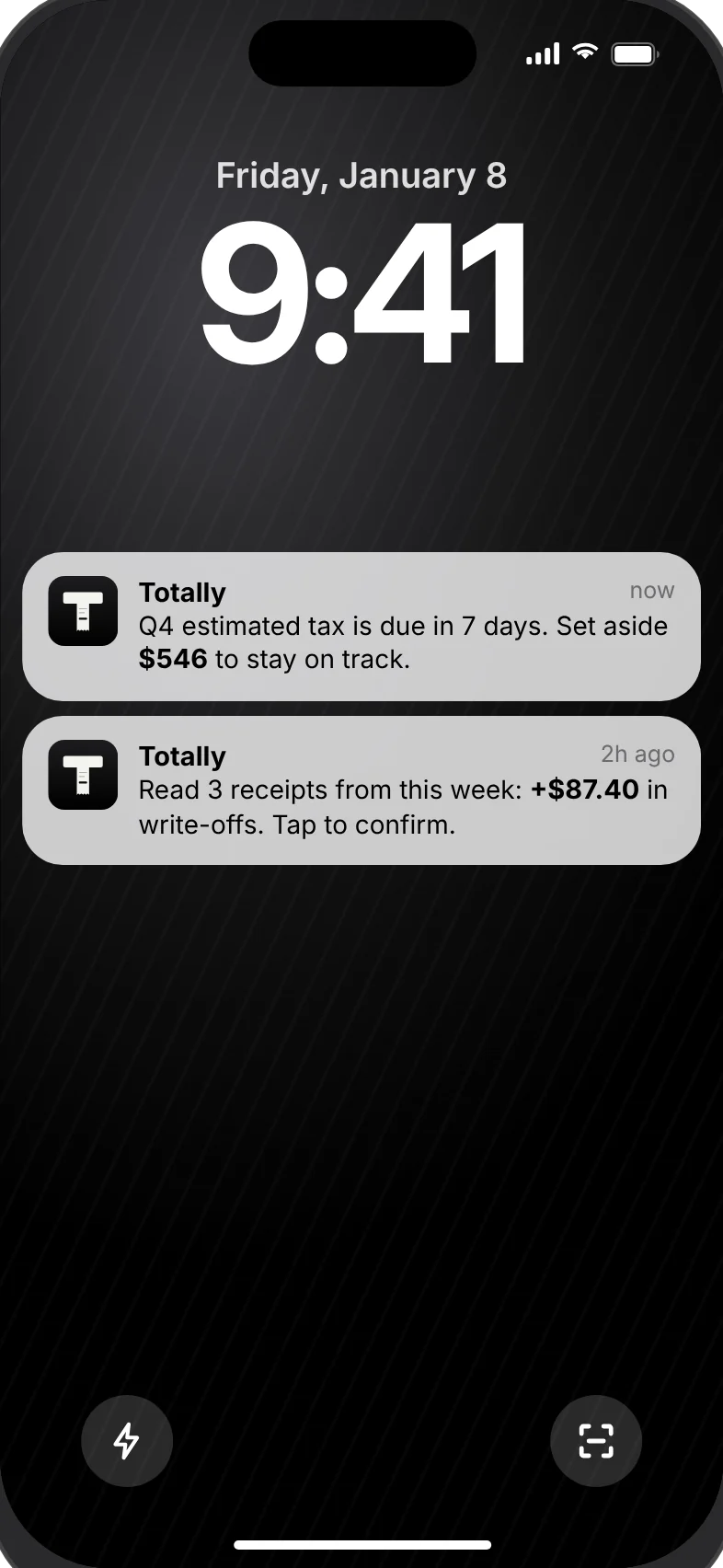
Totally estimates your quarterly tax from income and deductions, and nudges you a week before each due date, so April and January don't come as a surprise.
- Reminders for all four estimated tax dates
- Estimates, not tax advice
Your receipts stay on your iPhone
Text recognition runs on the device. We don't run servers that receive your receipts, and we can't see them.
Read on-device
Apple's text recognition reads receipts right on your iPhone.
No bank, no account
Nothing to link and no password to create. Open the app and scan.
You decide what leaves
Receipts go out only when you export or share them yourself.
Good to know
Do I need an account or a bank login?
No. Totally works without an account and never connects to your bank. You scan receipts and it does the rest on your iPhone.
Where are my receipts stored?
Only on your iPhone. Deleting the app deletes them, so export a Tax Pack or CSV first if you need a copy. Read the Privacy Policy for details.
Who is Totally for?
Freelancers, 1099 contractors, gig workers and creators in the US who file Schedule C and want their deductions sorted without a spreadsheet.
How do I cancel my subscription?
Open Settings › your name › Subscriptions on your iPhone, or Settings › Manage subscription inside Totally. Cancel at least 24 hours before the period ends to avoid the next charge.
Is this tax advice?
No. Totally estimates deductions and quarterly taxes to help you plan. Check with a tax professional before you file.
More questions? Visit Support.
Your next receipt can lower your tax tonight
Free on iPhone. No bank login.
Download on theApp Store